Outfit Switch
Change the outfit in a full-body photo with AI. Start with evening, streetwear or linen styling, refine the clothing prompt and review your new look before downloading.
1 restyled photo · 3:4 by default
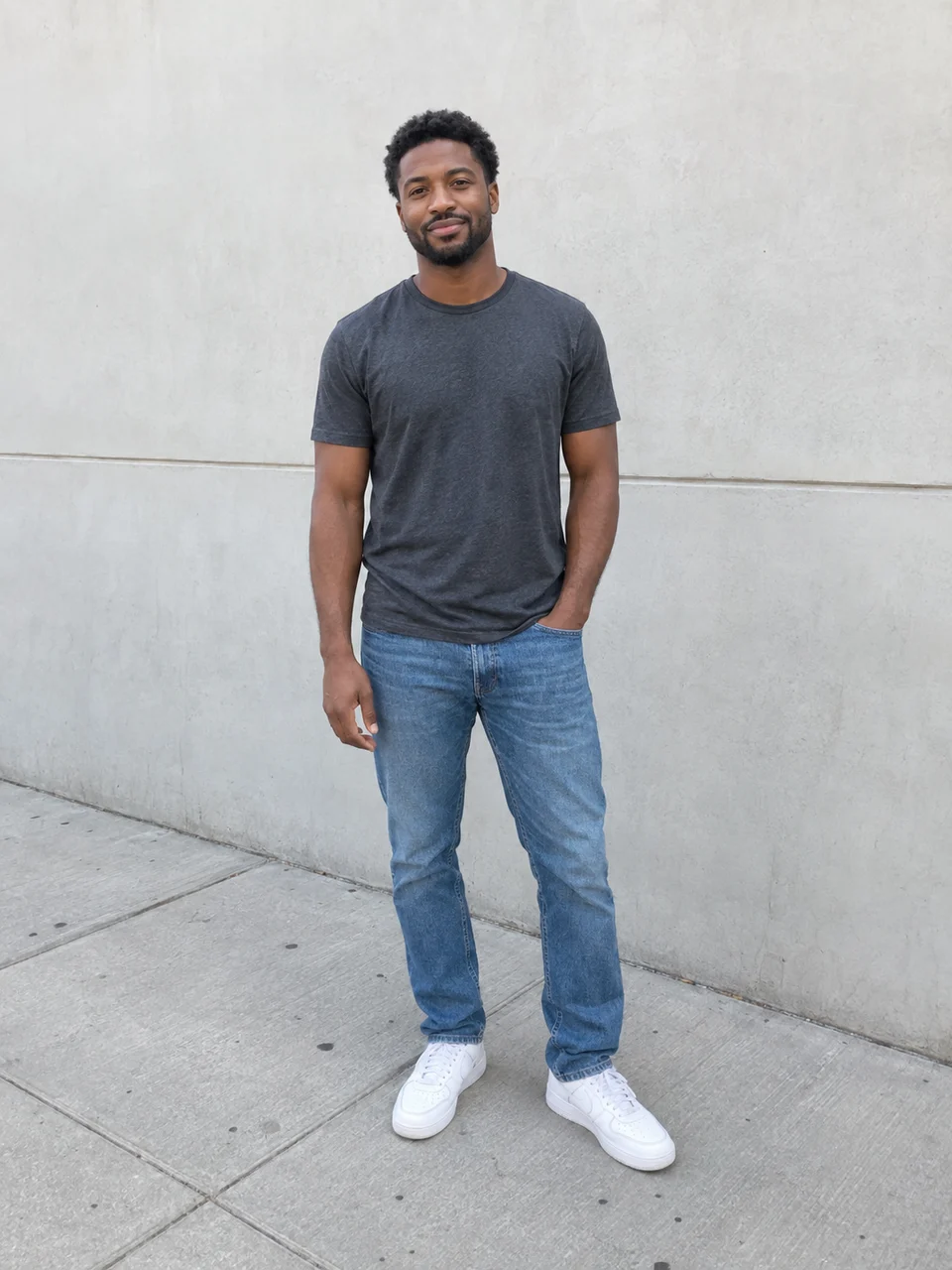 Original
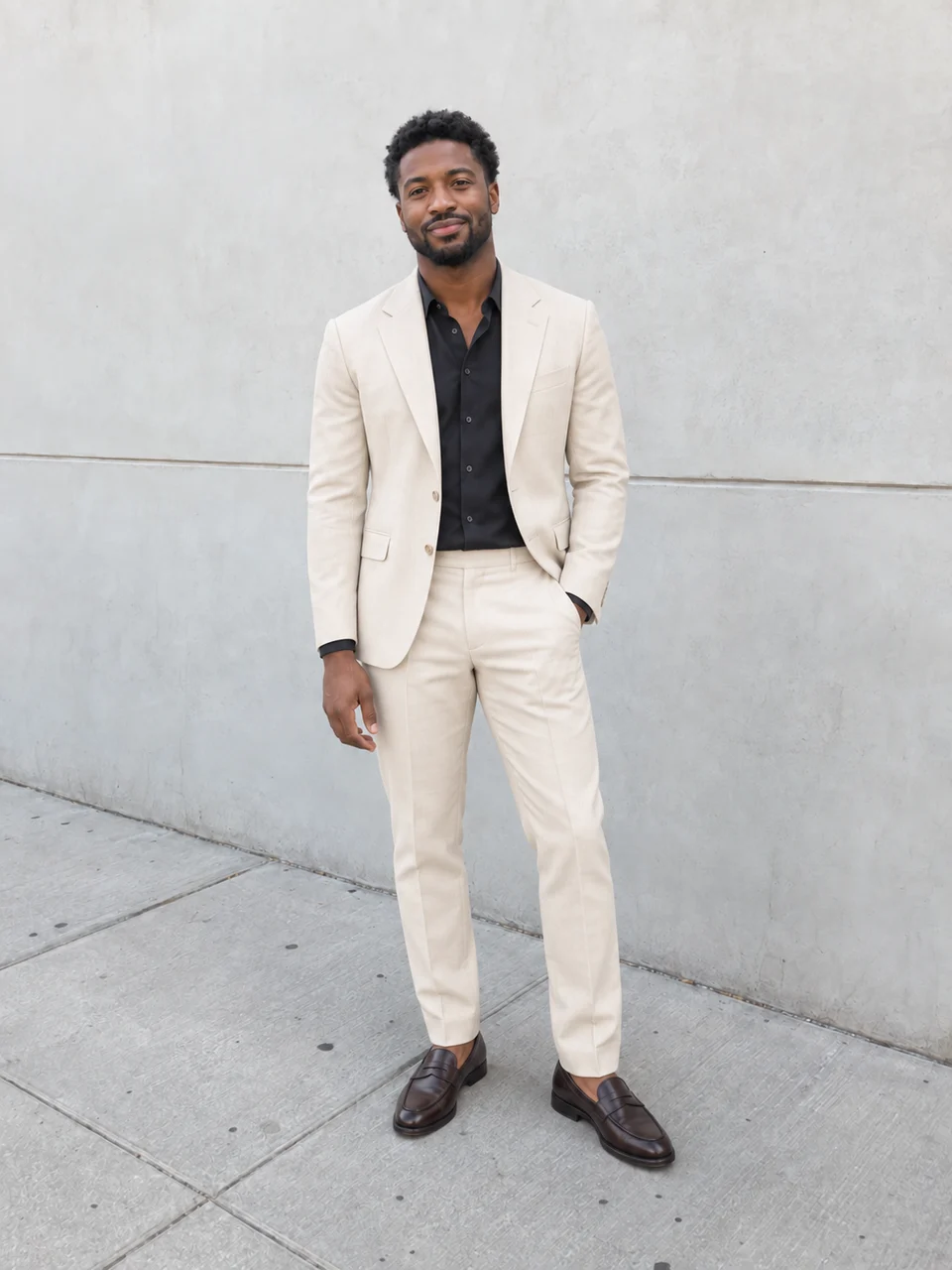 AI result
Actual AI-generated example. Results vary with your inputs.
Your photo. Your style.
Start with a photo, or add one later.
Your photo
One person, with face, hands and shoes clearly visible.
Photos upload privately when you continue. Review costs before generating.
Tips & details
How it works
- Select a full-body photo with clothing and shoes visible, then choose one style. Continue after sign-in to upload it and open the workflow.
- Review the prepared clothing prompt and image settings. Refine the outfit description, check the credit estimate and confirm generation.
- Compare the result with your source. Check the outfit, face, hands and background, then download the image you want to keep.
For the best result
Use even light and a simple standing pose, with arms clear of the torso. Avoid bags or furniture covering the clothing you want to change.
What to expect
This creates an imagined outfit, not a product-accurate fitting. Face, pose, proportions and background can change despite preservation instructions. Each new generation uses credits.
Workflow steps
Start with a complete outfit direction
Tailored evening asks for a cream suit, dark shirt and polished loafers. Street style starts with a forest-green jacket and neutral layers. Weekend escape suggests relaxed linen, natural colors, a light jacket and casual shoes. Choose one direction for the first image; the starter does not generate all three looks together. Its initial 3:4 framing can be adjusted in the image settings.
Make a useful styling comparison
For a weekend-post idea, start with Street style and change the jacket description to navy while leaving the neutral layers in place. Keep the source photo and change one clothing detail at a time so you can compare the generated versions. Review cuffs, fingers, garment edges and shoes as well as the overall color. Treat the result as visual inspiration: it cannot show how an actual fabric will feel or which size to buy.
Outfit-change questions
Which source photo should I use?
Choose one JPG, PNG or WebP up to 10 MiB, with one person and the complete outfit visible. A cropped face gives little clothing to work with. Selection stays in your browser until you continue after sign-in; that step uploads the photo into your workflow project.
Can I try on an exact item from a shop?
This starter takes a person photo and a written outfit direction. It does not request a separate product photo or body measurements. It generates clothing from the description, so it cannot verify a particular item’s details, sizing or fit.
Will my face, pose and background stay unchanged?
The prepared prompt asks to preserve the person, pose, framing and background, but these are generation instructions rather than locked image regions. Compare the new image with the source, including facial details, body proportions and hands.
Can I change colors or garments in a preset?
Yes. Edit the clothing description in the workflow before generating. Be specific about the garment, color and material, while keeping the instructions for what should stay consistent. The available image settings are editable too; a new prompt requires a new run to produce a new result.
When do credits apply, and is video included?
Opening the workflow prepares your project; it does not generate the new outfit. The image run shows a credit estimate for confirmation. The initial result is one still photo. Another look or a separately added video step requires another paid generation.