Model for a Day
Create an AI editorial portrait from one selfie. Choose studio, cinematic night or direct flash, adjust the prepared prompt and review the result before downloading.
1 editorial portrait · 3:4 by default
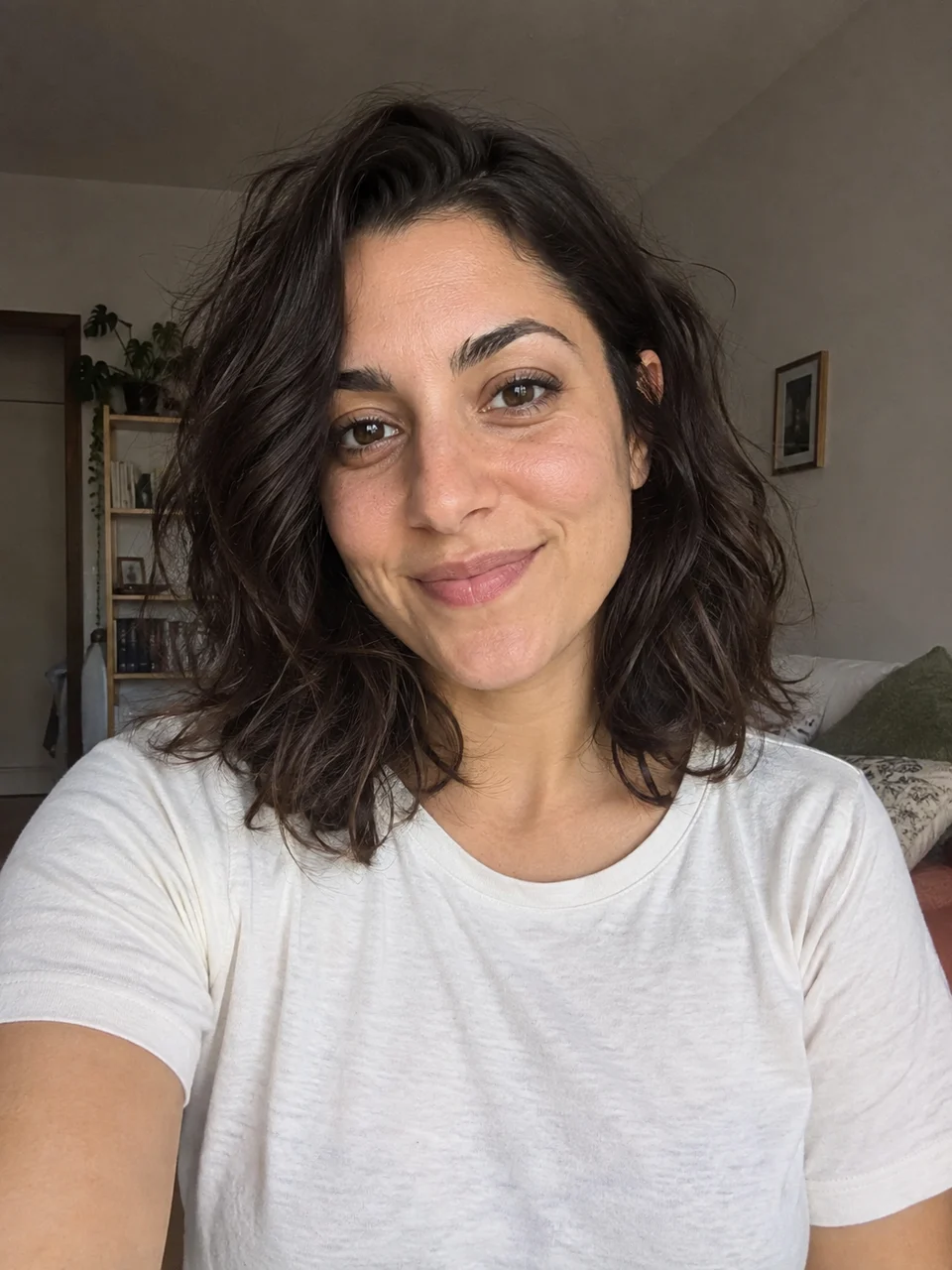 Original
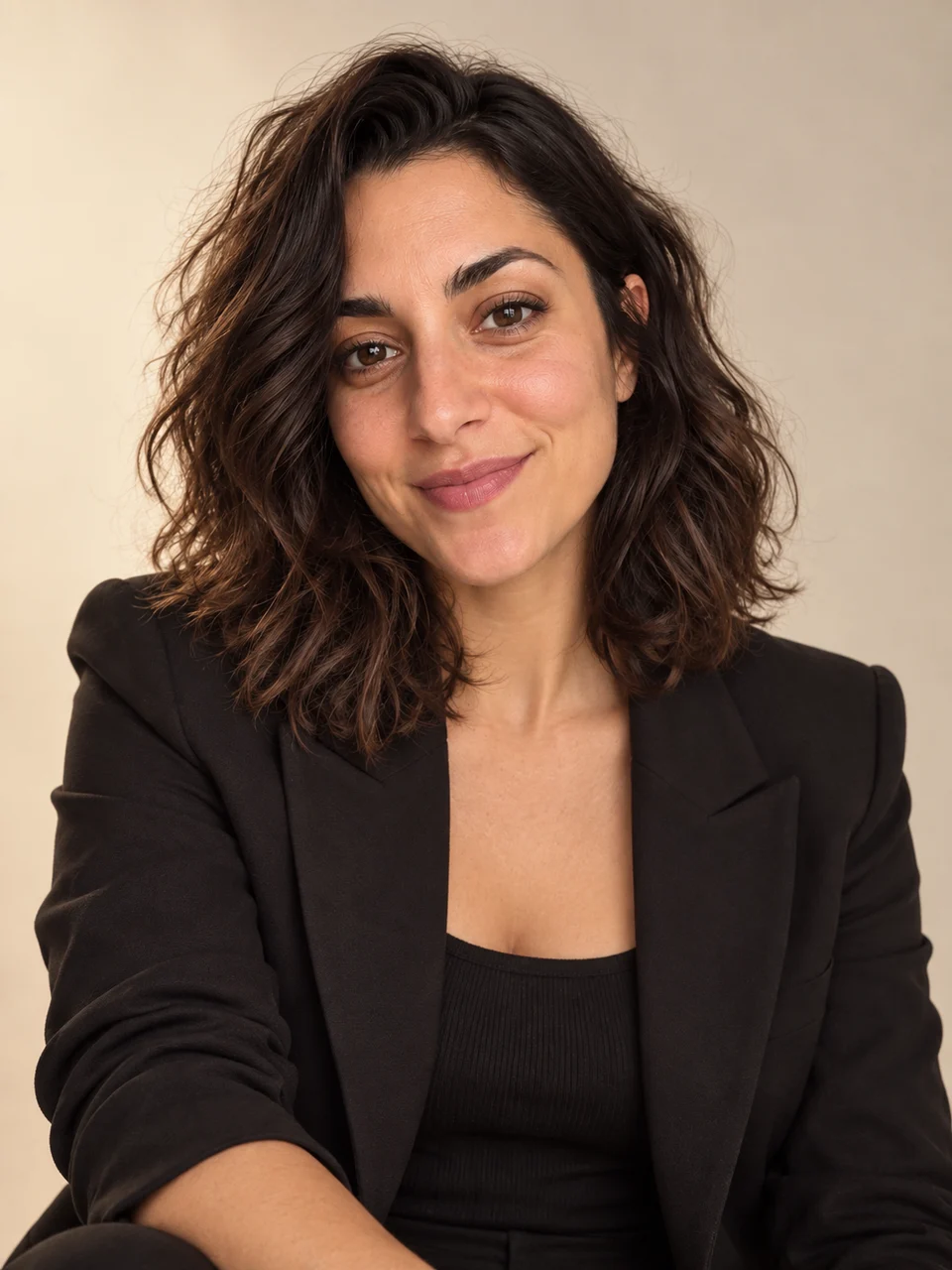 AI result
Actual AI-generated example. Results vary with your inputs.
Your photo. Your style.
Start with a photo, or add one later.
Your photo
One person, a clear face and good light.
Photos upload privately when you continue. Review costs before generating.
Tips & details
How it works
- Select a clear portrait and one style. Continue after signing in to upload the photo and open your prepared workflow.
- Review the image prompt and settings. Start the image step, check its credit estimate and confirm the paid generation.
- Open the completed portrait, compare it with your source and download it. A revised prompt or another look needs a new generation.
For the best result
Choose a sharp portrait with soft light and an unobstructed face. Leave room around the head and shoulders so the new styling has a clear reference.
What to expect
The starter creates one still image. Clothing, lighting and surroundings can change, and exact likeness is not guaranteed. New generations and optional video animation use additional credits.
Workflow steps
Choose a photographic direction
For a creative profile image, start with Studio classic: a black jacket, warm ivory background and soft directional light. Cinematic night asks for a dusk city setting with warm and blue lights. Fashion flash uses direct flash and a cool gray backdrop. These are three starting directions; choosing one prepares one portrait, not a pack containing all three. You can refine the wording in the workflow before generating.
Review the person as well as the styling
For example, use the cinematic style for a personal music profile, then check the face, hairline, hands and clothing against the original photo. A dramatic background does not compensate for a likeness you dislike. Adjust one part of the prompt at a time and review the next credit estimate before trying again. The starting frame is vertical 3:4; inspect the image settings if you need a different composition.
Editorial portrait questions
Which photo can I use?
Select one JPG, PNG or WebP image up to 10 MiB. Use a clearly visible face with even light rather than a group photo or a face hidden by sunglasses. The initial selection stays in your browser; continuing after sign-in uploads it to your workflow project.
Does opening the workflow generate or charge for a photo?
No. Continue prepares the project and uploads your selected image. Generation starts later from the image step, after you review and confirm its credit estimate. Rerunning with a new prompt or style is another paid generation.
Can I change the preset before generating?
Yes. The selected style supplies a prepared prompt, and the image step lets you adjust the prompt and available image settings. The starter begins with one portrait at a 3:4 aspect ratio; it does not automatically create every style.
Will it keep my exact face and clothes?
The source photo guides the person’s appearance, but the result is generated and can alter facial details. Wardrobe, background and lighting are deliberately reimagined. Compare the result with your photo before using it as a profile image.
Does this include an animated portrait?
The initial result is a still image. To explore motion, add and connect a video step on the workflow canvas and review its settings and credit estimate separately. Video generation is not included in the portrait run.